If you are wondering why does my volume keep going down by itself, the most common reasons are stuck volume buttons, software glitches, automatic sound settings, or interference from connected devices such as Bluetooth headphones.
Modern smartphones, tablets, and computers include built in features that automatically adjust sound levels to protect your hearing or improve audio quality. However, these features can sometimes cause your device’s volume to drop unexpectedly.
Understanding the cause is the first step to fixing the issue. In many cases, a quick setting adjustment or simple troubleshooting step can restore normal sound levels.
Key takeaways:
- Stuck or dirty volume buttons are one of the most frequent causes
- Tight phone cases can press volume controls accidentally
- Features such as Attention Aware or Sound Check may reduce volume automatically
- Bluetooth devices or headphones can interfere with sound control
- A software bug or outdated system can also trigger sudden volume changes
Once you identify the cause, you can usually fix the problem within minutes.
Why Does Your Volume Keep Going Down By Itself?
If your device volume keeps dropping without you touching the controls, it usually means something in the hardware, software, or system settings is adjusting the audio automatically.
Many modern devices include protective features that regulate sound levels, and these features can sometimes reduce the volume without warning.
One of the most common reasons is a physical button issue. Dirt or debris inside the volume button area can cause the button to remain partially pressed, which continuously lowers the sound level. Similarly, a tight phone case may push the volume down button without you realising it.
Another common cause involves automatic sound management settings. Smartphones and computers sometimes lower the volume to protect hearing, balance audio levels, or respond to certain actions like connecting headphones.
Some of the typical causes include:
- Stuck or worn volume buttons
- Protective phone cases pressing the buttons
- Automatic sound features like Sound Check or media volume limits
- Bluetooth devices control the volume remotely
- Temporary software bugs or system glitches
- Problems with audio drivers or operating system updates
Understanding which of these factors is affecting your device will help you identify the correct solution quickly.
What Is The First Thing You Should Check When Your Volume Keeps Dropping?
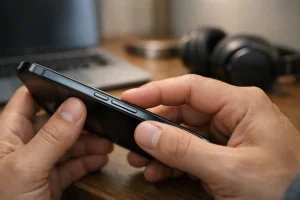
When your device volume keeps dropping automatically, the best approach is to start with the simplest checks. In many cases, the problem is caused by a physical issue rather than a complicated software fault. A quick inspection of your device can often reveal the source of the problem.
Before changing settings or installing updates, you should examine the hardware around the volume controls and remove anything that might be interfering with them. These initial checks are quick, easy, and often solve the issue without further troubleshooting.
Check The Volume Buttons
The volume buttons are one of the most common reasons your device volume keeps going down by itself. Over time, dust, dirt, or debris can build up around the button housing.
When this happens, the volume down button may remain partially pressed even when you are not touching it. A stuck button can repeatedly send signals to your device, causing the sound level to drop continuously.
To check the buttons properly:
- Press the volume up and volume down buttons several times to see if they feel stuck
- Inspect the edges of the buttons for dust or debris
- Gently clean the area with a soft cloth or compressed air
- Ensure the buttons move freely and return to their normal position
If the button feels loose or does not click properly, it may indicate internal wear or damage. One technician I spoke with once described this issue simply. He said that most automatic volume problems he sees are caused by a button that has become slightly stuck after months of everyday use.
Remove Your Phone Case Or Cover
Phone cases are designed to protect your device, but sometimes they can cause unexpected issues. A poorly designed or tight case may press against the volume buttons, especially if the case has thick or rigid button covers. If this happens, the device may interpret the pressure as a constant command to lower the volume.
To check if the case is the cause:
- Remove your phone case completely
- Test the volume controls while playing music or video
- Observe whether the sound level changes without touching the buttons
Some cases gradually warp over time, which can create constant pressure on the side buttons.
If removing the case solves the problem, replacing it with a better-fitting cover will prevent the issue from returning.
Could A Software Glitch Be Making Your Volume Go Down?
In some cases, the reason your volume keeps going down by itself is not related to hardware at all. Instead, the issue may be caused by a temporary software glitch within the operating system.
Smartphones, tablets, and computers rely on complex software to manage audio settings, and small bugs can occasionally interfere with normal behaviour.
The good news is that software-related problems are often the easiest to fix. Simple troubleshooting steps can refresh the system and restore normal functionality.
Restart Your Device
Restarting your device is one of the quickest and most effective ways to fix temporary software issues. When you restart a phone, tablet, or computer, the operating system closes all running processes and reloads the system software. This refresh can eliminate small glitches that may be affecting your audio settings.
To restart your device:
- Hold the power button until the restart menu appears
- Select restart or reboot
- Wait for the device to turn back on completely
- Test the volume again by playing audio
Restarting also clears background processes that may interfere with sound control. In many situations, this simple step resolves the problem immediately.
Check For System Updates
Operating system updates often contain fixes for known bugs, including issues related to audio performance. If your device software is outdated, it may contain errors that cause the volume to change automatically. Keeping your device updated ensures that you receive the latest stability improvements and security fixes.
To check for updates:
- Open the Settings menu on your device
- Navigate to System Update or Software Update
- Check for available updates
- Install any recommended updates
After installing an update, restart your device and test the audio again. Updates frequently correct hidden software problems that affect features such as sound controls, Bluetooth connectivity, and app behaviour.
Are Your Sound Settings Lowering The Volume Automatically?
Some devices reduce volume automatically because of built-in sound settings designed to protect hearing or improve audio consistency. These features are common on smartphones and tablets, particularly when using headphones or music applications.
For example, some devices include volume normalisation tools that keep audio levels consistent between songs. While helpful, these tools can make certain tracks sound quieter than others. Similarly, safety settings may limit how loud your headphones can play.
Certain devices also adjust volume depending on notifications or incoming calls. If your device reduces the sound while a notification appears, this behaviour is usually normal and intended to alert you without overwhelming the audio.
In other cases, accessibility features or smart sound systems may adjust volume based on your environment or usage habits.
Reviewing your device’s sound settings can help you determine whether a built-in feature is responsible for the unexpected volume changes.
Why Does Your iPhone Or iPad Volume Keep Going Down by Itself?
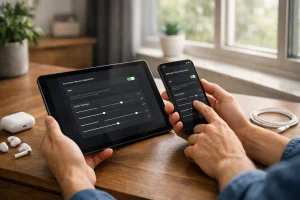
If you use an iPhone or iPad and notice the volume dropping unexpectedly, the cause is often linked to Apple’s built in audio features. iOS includes several settings that automatically adjust sound levels for convenience, hearing protection, or better audio balance.
While these features can improve the listening experience, they may also make it seem as though the volume is decreasing on its own. Understanding how these settings work will help you identify and resolve the issue.
Is Attention Aware Reducing Your Ringer Volume?
Attention Aware is a feature available on many modern iPhones and iPads that use Face ID. It detects whether you are looking at your device and adjusts certain behaviours accordingly.
When your phone rings and the system recognises that you are looking at the screen, it may reduce the ringtone volume automatically.
To disable Attention Aware:
- Open Settings
- Select Face ID and Passcode
- Locate Attention Aware Features
- Turn the feature off
Disabling this option prevents your device from lowering the ringtone volume when you look at the screen.
Is Sound Check Making Music Seem Quieter?
Sound Check is designed to balance audio levels between songs. Some music tracks are recorded louder than others, and Sound Check adjusts them to create a consistent listening experience. However, this feature may reduce the overall loudness of certain songs.
To turn off Sound Check:
- Open Settings
- Tap Music
- Locate the Sound Check option
- Toggle the setting off
Many users report that disabling Sound Check makes their music sound noticeably louder.
Could EQ Or Music Settings Affect Playback Volume?
The equaliser settings within the music application can also influence how loud the audio appears. Certain EQ presets reduce the overall volume to emphasise specific frequencies. If you have adjusted the equaliser previously, it may be affecting your listening experience.
You can reset the settings by:
- Opening Settings
- Selecting Music
- Finding the EQ option
- Setting it to Off
Resetting the equaliser restores the default audio balance.
Could Screen Time Or Content Restrictions Be Affecting Audio Apps?
Although less common, restrictions placed on apps can interfere with certain features, including audio playback. Screen Time controls or content restrictions may limit how applications function.
To check these settings:
- Open Settings
- Tap Screen Time
- Select Content and Privacy Restrictions
- Review the list of allowed apps
If an audio-related app is restricted, adjusting the settings may resolve the issue.
Why Does Your Android Volume Keep Going Down By Itself?
Android devices include a variety of features designed to manage sound levels automatically. While these features help protect hearing and maintain balanced audio, they can sometimes make it appear that your device volume is changing without input.
Different Android manufacturers may include unique sound settings, but the most common causes of automatic volume reduction are headphone safety limits, accessibility features, or third-party apps.
Understanding these features will help you determine whether your device is adjusting the sound intentionally.
Is Headphone Safety Or Media Volume Limiter Turned On?
Many Android phones include a media volume limiter or headphone safety feature. This setting automatically lowers the volume when headphones are connected to protect your hearing from prolonged exposure to loud audio.
If the limiter is enabled, your device may repeatedly reduce the sound level after it reaches a certain threshold.
To check this setting:
- Open Settings
- Tap Sound
- Look for Media Volume Limiter or Headphone Safety
- Turn the setting off if necessary
Disabling the limiter allows you to control the volume manually.
Could Accessibility Settings Or Pocket Mode Be Causing The Issue?
Some Android devices include accessibility tools or pocket detection features that adjust sound levels based on how the phone is used. For example, certain devices reduce volume when placed in a pocket or when the screen is covered.
Review the accessibility and advanced sound settings by:
- Opening Settings
- Navigating to Accessibility
- Checking any sound-related options
If you find features that automatically modify sound behaviour, disabling them may resolve the problem.
Should You Test Your Phone In Safe Mode?
If your phone volume started changing after installing a new application, a third-party app may be responsible. Some apps can control media playback or adjust sound settings automatically. Safe Mode allows you to start your device without loading third-party apps.
To use Safe Mode:
- Press and hold the power button
- Tap and hold Power Off
- Select Safe Mode
- Restart the device
Once the phone restarts, test the volume while playing music. If the problem disappears, an installed app is likely causing the issue.
Could Bluetooth Headphones, Speakers, Or Accessories Be Interfering?
Bluetooth devices can sometimes control your phone’s volume remotely. When your smartphone connects to wireless headphones, speakers, or a car audio system, those devices may adjust the sound level automatically.
If the connected device has its own volume controls, the two systems can conflict and create unexpected changes.
Some common situations include:
- Wireless earbuds adjusting volume through touch controls
- Car Bluetooth systems sync their audio level with your phone
- Smart speakers lower the sound when voice commands are detected
To check whether Bluetooth is causing the problem:
- Turn off Bluetooth temporarily
- Disconnect all paired devices
- Play audio directly from your device
If the volume remains stable, the issue may be linked to one of your Bluetooth accessories.
Could Headphones, Earphones, Or Audio Accessories Be The Problem?
Wired headphones and earphones can also affect how your device controls volume. Some audio accessories include built-in buttons that allow you to adjust playback and sound levels. If these controls malfunction, they may send repeated signals that lower the volume.
Other issues may include damaged cables or incompatible accessories. In rare cases, a faulty headphone jack can also trigger automatic volume changes.
You can test this possibility by:
- Disconnecting the headphones completely
- Trying a different pair of earphones
- Checking whether the volume remains stable without accessories
If the issue disappears when you remove the headphones, replacing the accessory will usually fix the problem.
Why Does Your Windows PC Or Laptop Volume Keep Going Down By Itself?
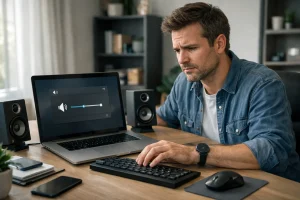
If your computer volume keeps dropping unexpectedly, the cause may be related to software configuration, outdated drivers, or system-level audio settings.
Windows computers rely on audio drivers to communicate with sound hardware, and problems with these drivers can affect how volume controls behave.
Unlike smartphones, computers often have multiple applications controlling sound at the same time. This means that system settings, communication apps, and media players can all influence the final volume level. Understanding how these components interact will help you diagnose and fix the issue.
Run The Built In Audio Troubleshooter
Windows includes a built-in troubleshooting tool that can automatically detect and repair common sound issues.
To run the troubleshooter:
- Right-click the speaker icon on the taskbar
- Select Troubleshoot sound problems
- Follow the instructions displayed on the screen
The system will scan for errors related to drivers, hardware configuration, and sound services. If Windows detects a problem, it will often apply the fix automatically.
Update Audio Drivers
Audio drivers allow Windows to communicate with your sound card or audio chipset. If the drivers become outdated or corrupted, the system may behave unpredictably. Updating your drivers can restore proper functionality.
Steps to update drivers:
- Open Device Manager
- Expand Sound, Video and Game Controllers
- Right-click your audio device
- Select Update Driver
Windows will search for the latest driver version and install it automatically.
Check Audio Enhancements And App Volume Settings
Some Windows features automatically adjust volume when certain activities occur. For example, communication settings may reduce system sound when you join a call. Additionally, individual apps can have separate volume levels.
Check these settings by:
- Opening Sound Settings
- Reviewing App Volume and Device Preferences
- Disabling unnecessary audio enhancements
Adjusting these options ensures that no application is unexpectedly lowering your volume.
What About Other Devices Such As Tablets, Smart TVs, And Similar Devices?
Volume problems are not limited to phones and computers. Tablets, smart televisions, streaming devices, and gaming consoles can also experience automatic sound adjustments.
These devices often include built-in sound optimisation systems designed to balance dialogue and background audio. While helpful, these systems may reduce the overall volume unexpectedly.
Possible causes include:
- Remote control buttons stuck or pressed accidentally
- Automatic sound normalisation features
- Bluetooth speaker conflicts
- Firmware bugs after system updates
If the volume changes frequently, check the device’s sound settings and update its software. Disconnecting external audio equipment can also help identify the source of the issue.
How Can You Tell Whether The Problem Is Hardware Or Software?

Determining whether the problem is hardware-related or software-related can save you time when troubleshooting. Hardware problems usually involve physical components such as buttons, connectors, or internal circuitry.
Signs of a hardware issue include:
- The volume button feels stuck or loose
- The volume changes constantly without stopping
- The issue continues after restarting or updating the device
Software issues usually behave differently.
Signs of a software problem include:
- The issue started after installing a new app or update
- The volume changes only within certain applications
- Restarting the device temporarily fixes the issue
Understanding this difference will help you decide whether you need a simple settings adjustment or professional repair.
How Can You Fix Your Volume Problem Step By Step?
If your device volume keeps going down by itself, following a structured troubleshooting process can help you identify the cause quickly. Start with the simplest solutions before moving to more advanced fixes.
A practical step-by-step approach includes:
- Check the volume buttons for dirt or damage
- Remove the phone case or protective cover
- Restart the device to clear temporary glitches
- Disconnect Bluetooth devices
- Test the device without headphones or accessories
- Review sound settings, such as Sound Check or media volume limits
- Install any available software updates
- Use Safe Mode on Android to check for problematic apps
- Run audio troubleshooting on Windows computers
If none of these steps solves the problem, the issue may involve internal hardware that requires professional repair.
How Can You Stop Your Volume From Going Down By Itself In Future?

Preventing future volume problems mainly involves maintaining your device and monitoring your settings. Simple habits can significantly reduce the chances of encountering this issue again.
Helpful prevention tips include:
- Keep the volume buttons clean and free from dust
- Avoid using poorly fitted phone cases
- Update your device regularly to fix software bugs
- Use reliable headphones and Bluetooth accessories
- Review sound settings after installing system updates
Protecting your device from moisture and physical damage can also prevent internal hardware faults.
Regular maintenance and careful accessory choices will help ensure that your device’s sound controls work reliably.
When Should You Get Professional Repair?
If you have tried multiple troubleshooting steps and the volume still changes automatically, the problem may involve internal hardware.
Professional repair may be necessary when:
- The volume button is physically damaged
- The device has been exposed to water or heavy impact
- The volume changes continuously even after updates and resets
- The issue appears across all apps and settings
Repair technicians can inspect internal components such as the motherboard, audio circuits, or button connectors.
If your device is still under warranty, contacting the manufacturer or authorised service centre is usually the best option.
Final Thoughts On Why Your Volume Keeps Going Down By Itself
Experiencing unexpected volume changes can be frustrating, especially when you are watching videos or listening to music. Fortunately, most cases of why does my volume keep going down by itself are caused by simple issues such as stuck buttons, automatic sound settings, or temporary software glitches.
By checking the physical buttons, reviewing sound settings, and restarting or updating your device, you can often solve the problem quickly. If the issue continues after basic troubleshooting, it may indicate a hardware fault that requires professional inspection.
Understanding how your device manages audio will help you prevent similar problems in the future and ensure a consistent listening experience.
FAQs
Why Does My Phone Volume Keep Going Down When I Play Music?
This often happens because of sound normalisation features or headphone safety settings. These tools automatically adjust audio levels to maintain consistent sound.
Can A Phone Case Make Your Volume Go Down By Itself?
Yes, a tight or poorly designed phone case can press the volume button continuously. Removing the case can quickly confirm whether it is the cause.
Why Does My iPhone Lower the Volume When I Look at It?
This usually happens because of the Attention Aware feature. The system lowers the ringer volume when it detects that you are looking at the screen.
Why Does My Android Volume Drop When Headphones Are Connected?
Many Android devices include a headphone safety feature that limits maximum volume. This setting protects your hearing by automatically reducing loud audio.
Can Bluetooth Cause Your Volume To Change Automatically?
Yes, Bluetooth devices such as earbuds or speakers can control your phone’s volume remotely. Conflicting controls may cause unexpected sound adjustments.
How Do You Know If A Volume Button Is Stuck?
A stuck button often feels tight or fails to return to its normal position after being pressed. You may also notice the volume changing repeatedly without touching the controls.
Should You Repair Your Device If The Volume Keeps Dropping?
If the problem continues after trying all troubleshooting steps, professional repair may be necessary. Internal hardware damage can cause persistent audio issues.